Free Online Learning for Music Production: Demos, Lessons, and Remix Challenges
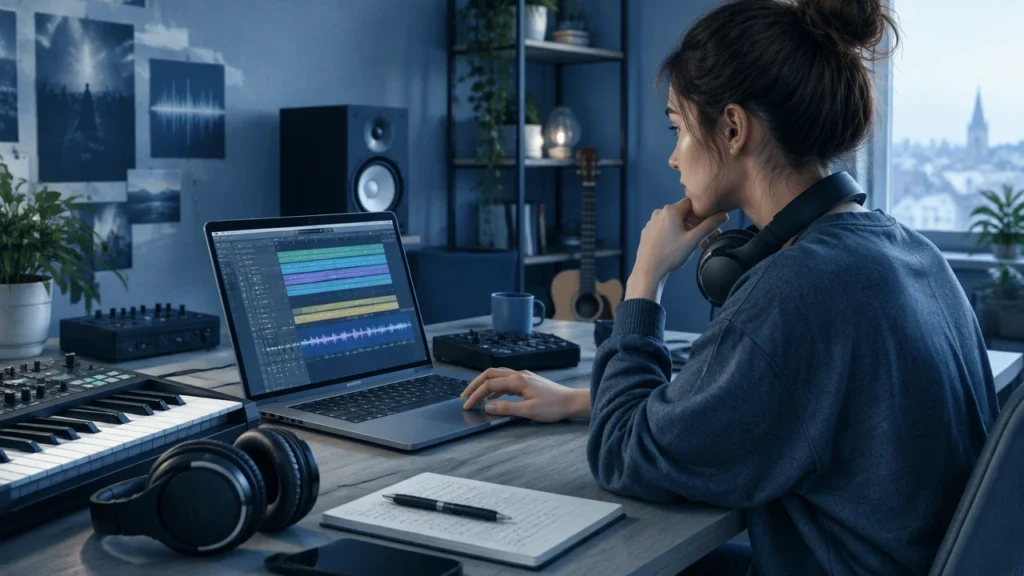
Free online learning makes it possible to build real music production skills without spending a fortune. With the right mix of software demos, structured lessons, and remix challenges, you can move from beginner confusion to repeatable workflows for recording, editing, mixing, and finishing tracks at home.
The key is to treat free resources like a curriculum rather than a pile of random links. Start with one DAW, one skill focus, and one feedback channel, then expand only when you can consistently apply what you have learned.
Start with a clear learning path
A strong path usually follows a simple sequence: set up your system, learn core recording and editing, study basic mixing, add sound design or arrangement practice, and finish tracks regularly. Within that path, pick one DAW and learn it deeply. Reaper offers a full trial and a low-cost license. GarageBand is free on macOS and surprisingly capable. Audacity is a dependable free option for editing and simple recording tasks. LMMS and Ardour are open-source choices for composition and recording on multiple platforms.
Once your DAW is installed, learn these fundamentals first:
- Session setup: buffer size, sample rate, routing, and saving templates
- Recording: gain staging, input monitoring, and takes management
- Editing: comping, timing correction, and clip management
- Mixing basics: volume balance, panning, EQ, compression, and reverb
- Finishing: bounce, export, naming, backups, and simple mastering chains
Use software demos to learn by doing
Software demos are one of the best free ways to learn production because they let you practice with professional tools while understanding how real workflows feel. Many plugin developers provide time-limited or feature-limited demos that are enough to study a technique and apply it in a mix.
Use demos with intention. Instead of collecting and browsing, choose one plugin category at a time, such as an EQ, a compressor, and a reverb. A/B the demo plugin against your stock tools, match loudness, and take notes on what changes in tone, control, or workflow. This builds critical listening and helps you decide when paid tools are worth it later.
A practical demo routine can look like this:
- Day 1: Install one demo, complete any built-in tutorials, and map the controls
- Day 2: Apply the plugin on a single track, then on a bus, and compare to stock options
- Day 3: Use the demo in a short mix and write down what you liked or disliked
Keep your session files organized so you can revisit comparisons later. This turns casual experimentation into a repeatable learning habit.
Structured lessons build transferable skills
Free structured lessons help you avoid the trap of learning isolated tips that do not connect. Look for courses or playlists that progress from setup to recording, editing, mixing, and finishing. University open courses, DAW developer training pages, and reputable producer channels often provide step-by-step sequences that teach the why behind each move.
Good structure usually includes these elements:
- Clear objectives: each lesson states what you will be able to do afterward
- Practice files: stems or sample sessions so you can follow along
- Progressive complexity: concepts build on previous lessons
- Assignments: tasks that force you to apply the skill in your own project
When you finish a lesson, immediately apply the concept in a personal track. Even a ten-minute session helps lock in the workflow. If the lesson covers EQ, spend the next session EQing only drums. If it covers compression, do a pass on vocals and a bus. Repetition with variation is what turns knowledge into skill.
Remix challenges add pressure and feedback
Remix challenges teach speed, decision-making, and creative problem solving. Many communities post free multitracks and invite producers to submit remixes within a deadline. These challenges are valuable because they simulate real constraints: limited time, specific source material, and public feedback.
To get the most from a challenge:
- Set a time box: decide on 3, 5, or 8 hours and stop when the time ends
- Define a goal: focus on one skill, such as vocal processing or drum layering
- Limit your tools: use only stock plugins or two third-party plugins
- Collect feedback: ask one or two specific questions about balance, tone, or arrangement
After each challenge, write a short review of what worked and what did not. This turns a single event into a learning loop you can repeat with the next multitrack release.
Build a simple practice system
Free resources are most effective when they sit inside a simple system. A weekly plan can include two lessons, two focused mixing sessions, and one challenge or creative project. Keep a checklist for finishing tracks: arrangement locked, rough mix, detailed mix, reference check, and export. Use a naming convention for projects and backups so you can find files months later.
Track progress with a short log. Note the date, the skill practiced, the tools used, and one improvement you heard. Over time, this log reveals patterns: where you stall, which techniques stick, and what kind of music you finish most consistently.
Choose free resources wisely
Quality varies across free content. Favor creators who explain signal flow, gain staging, and musical context, not just knob positions. Avoid sources that promise instant results or rely only on presets. Look for transparency about limitations, clear audio examples, and a teaching style that encourages listening over copying.
When possible, verify advice by testing it in two different sessions. If a technique works on drums, vocals, and a full mix, it is likely robust. If it only works in one special case, treat it as a creative trick rather than a core skill.
Keep your learning focused and finish more
The fastest way to improve is to finish small projects often. Short songs, mini EPs, and one-knob experiments all count. Finish, export, and move on. Then revisit the best ideas later with fresh ears and better skills.
Free online learning gives you access to demos, lessons, and challenges that can guide you from first recordings to polished mixes. Use them with intention, build a steady practice routine, and let feedback and finished work measure your progress instead of endless browsing.